
Logging in to the AQ99 game is a simple process for registered users. Open the game or its login page and enter the mobile number or account details you used during registration, along with your password. After checking the information, tap the login button to access your account. If you cannot remember your password or face a login issue, use the available recovery or support option to get help.
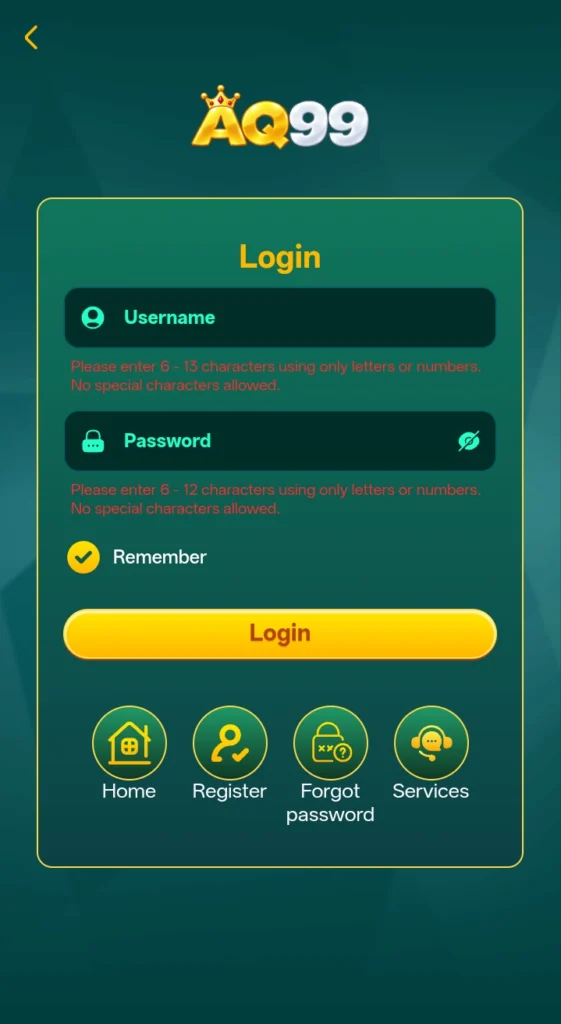
Login is Required After Registration
How to Login into AQ99?
Open the game
Launch the game on your device and go to the login page. Select the Login option to start.
Enter Your Registered Details
Type the mobile number or account details you used when creating your account. Make sure there are no typing mistakes.
Enter Your Password
Enter the password linked to your account in the required field. Check it carefully before continuing.
Check Your Information
Review your login details once before submitting them. This can help prevent errors caused by an incorrect number or password.
Tap the Login Button
After entering the required information, select the Login button. If your details are correct, your account should open.
Complete Verification if Required
If AQ99 asks for an additional verification step, follow the instructions shown on the screen to complete the login.
Access Your Account
Once the login is successful, you can access the games and other features available through your game account.